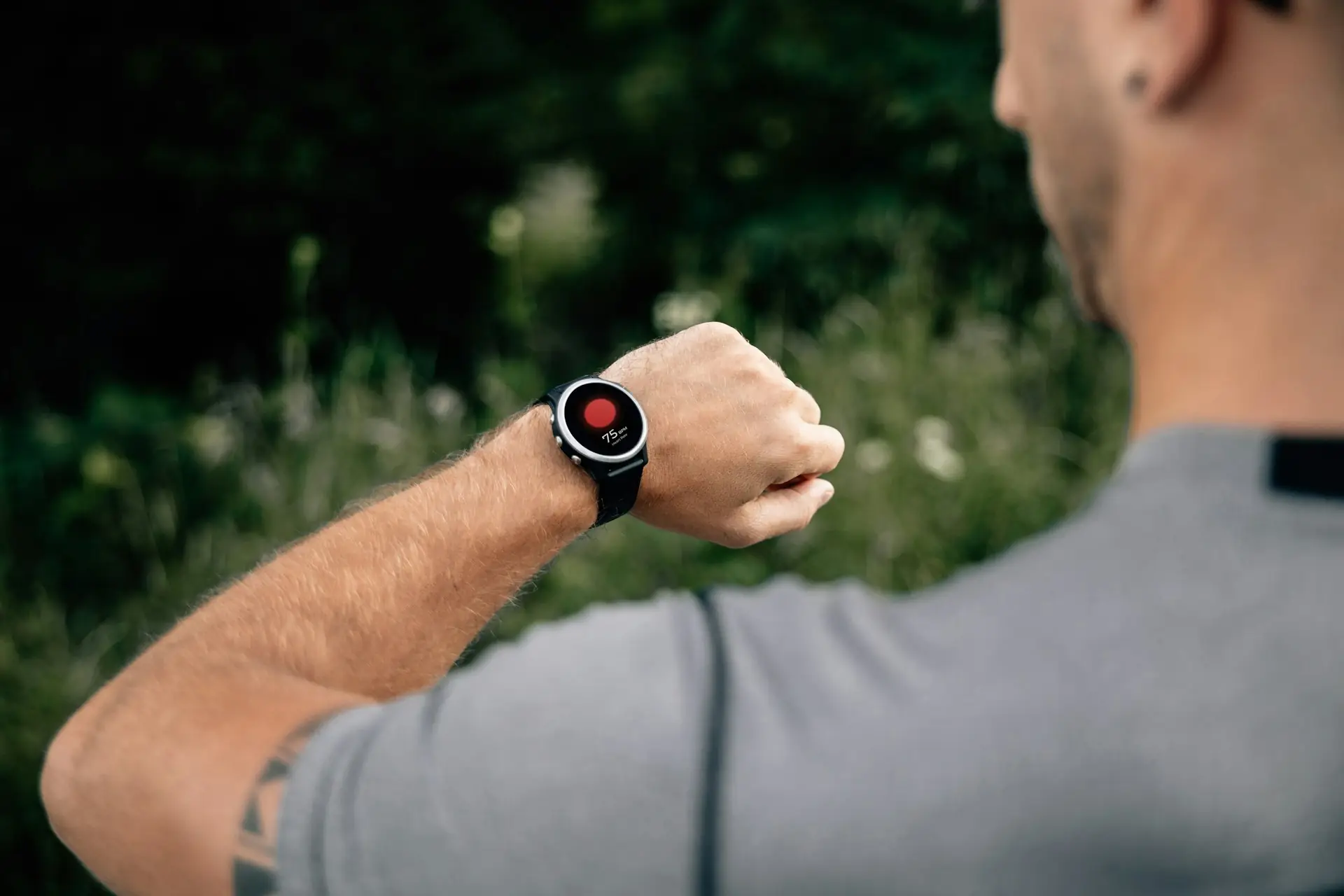
Yes. Steps Widget reads your step count from Apple Health, not from any device, so it works with any fitness tracker whose app writes steps to Health. Garmin, Oura, Whoop, Amazfit, Withings, Polar, COROS, and, since August 2026, Fitbit all do.
Quick Answer: Will My Band Work?
- Your band's app writes steps to Apple Health. Garmin, Oura, Whoop, Amazfit, Withings, Polar, COROS, and now Fitbit (through the Google Health app) all can. You turn it on once, in the band's app.
- Steps Widget has permission to read steps. It asks on first launch.
- Your band is at the top of the Steps data sources in the Health app, so its count wins where it overlaps your iPhone's.
Get those three right and the widget shows your band's steps. Nothing else to install, no account to link.
Table of contents
- How does Steps Widget get steps from a fitness tracker?
- Which fitness trackers sync steps with Apple Health?
- Do I need to stop using my other fitness apps?
- Does Fitbit sync steps with Apple Health on iPhone?
- How do I set up my tracker with Steps Widget?
- Will my tracker and iPhone double-count steps?
- Why is the widget behind my tracker's app?
- What works without an Apple Watch?
- Frequently asked questions
- Key takeaways
How does Steps Widget get steps from a fitness tracker?
It does not get them from the tracker at all. Every step on an iPhone ends up in one place: Apple Health. Your iPhone writes its own count there, an Apple Watch writes its count there, and a third-party band writes there through its companion app. Health merges them into one daily total.
Steps Widget sits at the far end of that chain. It is a reader, not a counter: it asks Health for your step count, with your permission, and draws it. It has no Bluetooth connection to any band and no list of supported devices, because it does not need one. If Health has the steps, the widget has the steps.
That design is also why the app needs no account and no server. Your band's app does the device-specific work of getting data off your wrist. Health does the merging. The widget turns the result into a number you see without opening anything. For the whole path a step takes, see how your iPhone and Apple Watch count and sync steps.
Which fitness trackers sync steps with Apple Health?
The only question that matters for any device is: does its app write steps to Apple Health? For the popular ones, the answer today is yes.
| Band | Writes daily steps to Health? | Where to turn it on | Worth knowing |
|---|---|---|---|
| Garmin | Yes | Garmin Connect › More › Settings › Connected Apps › Apple Health | Steps arrive when the watch syncs to Garmin Connect |
| Fitbit | Yes, since August 2026 | Google Health app › Apple Health connection | Needs Google Health 5.05 or later; see below |
| Oura | Yes | Oura app settings › Apple Health | Oura recommends making it the top steps source if you also carry your phone |
| Whoop | Yes | Whoop app › Apple Health integration | Some users report steps arriving in batches rather than live |
| Amazfit | Yes | Zepp app › Apple Health | Check that Steps is on in the permission sheet |
| Xiaomi / Mi Band | Yes | Mi Fitness (or Zepp Life) › Apple Health | Menu names vary by app version |
| Withings | Yes | Withings app › Apple Health | ScanWatch and Pulse trackers count steps |
| Polar | Yes | Polar Flow › Apple Health | Past history may not backfill |
| COROS | Yes | COROS app › Profile › Settings › 3rd Party Apps › Apple Health |
Menu paths shift between app updates, so if a label does not match, look for "Apple Health", "Health", or "Connected apps" in your band app's settings.
Workout and challenge apps are a different kind of app. Strava, Nike Run Club, Peloton, and step-challenge apps are built around GPS routes, workouts, or leaderboards, not your all-day step count. You can keep using them alongside Steps Widget; see do I need to stop using my other fitness apps?
Do I need to stop using my other fitness apps?
No. Steps Widget does not compete with them. Most fitness apps are built for something bigger: Strava and Nike Run Club track your route with GPS, step-challenge apps run leaderboards with friends, and some count steps with their own pedometer for their own goals. Keep using whichever ones you enjoy.
Steps Widget does one small job those apps rarely do well: a quick peek at today's steps on your Home Screen, Lock Screen, StandBy, or watch face, without opening anything.
The two stay out of each other's way:
- You do not lose steps. An app that counts steps by itself is counting the same steps your iPhone or band already records in Apple Health. The widget shows the Health total, so those steps are there either way.
- Nothing is counted twice. Workout apps mostly save workouts, routes, and distance to Health rather than a separate step count. If one does write steps, Health de-duplicates them like any other source.
- Leaderboards stay in their app. Steps Widget has no leaderboard and no account. If you want to keep a friend company instead of ranking them, Walk With Me shows each other's day side by side.
Does Fitbit sync steps with Apple Health on iPhone?
Yes, since August 2026, through the Google Health app. For years, Fitbit was the exception. There was no official way to get Fitbit steps into Apple Health, so Fitbit owners on iPhone relied on paid bridge apps.
That changed in August 2026. The Google Health app, which replaced the Fitbit app in May, added a direct, two-way connection to Apple Health on iPhone. Steps are one of the categories it can write, so a Fitbit (or Pixel Watch) now feeds Steps Widget like any other band.
To turn it on:
- Update Google Health to version 5.05 or later. Your iPhone needs iOS 16.4 or later.
- In Google Health, find Apple Health under your connected apps and services, then tap Get started.
- Accept the consent page and choose what to share. Make sure Steps is included.
- Approve the Apple Health permission sheet that follows.
You can review or revoke it later from the Health app: your profile picture › Apps and Services › Google Health. Note that disconnecting inside Google Health does not by itself revoke what you granted in Apple Health, so turn it off in both places if you want it fully off.
If you still use a bridge app from before, you can remove it once Google Health is syncing. Running both writes the same steps twice from two sources, and while Health will not add them together, it does make your data sources list harder to read.
How do I set up my tracker with Steps Widget?
Four steps, about two minutes, and most of it happens in your tracker's app.
1. Turn on Apple Health in your band's app. Use the table above. When the Health permission sheet appears, make sure Steps is switched on for writing.
2. Check the steps actually arrive. Open Health › Browse › Activity › Steps › Show All Data, or look at today's chart. You should see entries from your band's app. If not, open the band's app to force a sync and look again.
3. Put your band first. In Health › Browse › Activity › Steps, scroll to Data Sources & Access, tap Edit, and drag your band's app above your iPhone. This decides whose count wins when both cover the same minutes.
4. Give Steps Widget permission to read steps. It asks on first launch. If you declined, follow connect Apple Health to turn it back on, then add the widget.
Will my tracker and iPhone double-count steps?
No. Most people with a band also carry an iPhone, and both count, but Health does not add the two together. Where the band and the phone cover the same stretch of time, Health de-duplicates them and keeps the reading from whichever source is higher in your Data Sources list.
That has two practical consequences:
- Order the list deliberately. A band on your wrist sees every step, including the ones taken while your phone sat on a desk. Putting it first means Health trusts it for the overlap, and the phone only fills in when the band was off (charging, say).
- Your band's app and Health can disagree slightly. Your band's app shows the band's count alone; Health shows the merged total. If the band is first in the list, the two should be close. If they are far apart, the iPhone is probably winning the overlap. See why your iPhone is not counting steps for more on fixing data sources.
Why is the widget behind my tracker's app?
Usually because your tracker has not synced to its app yet. A band adds one more hop to the chain, and each hop runs on its own schedule:
| Hop | What happens | Typical delay |
|---|---|---|
| Band → its app | The band syncs to its companion app over Bluetooth | Varies by brand; often every few minutes to an hour, or when you open the app |
| Its app → Apple Health | The companion app writes the new steps to Health | Usually right after it syncs |
| Health → Steps Widget | Health shares the update with apps | About once an hour, or immediately when you open the app |
| Widget redraw | iOS redraws the widget from its daily budget | Roughly every few minutes when you are active, longer when quiet |
The first hop is the one most likely to stall, because it depends on your band's app being allowed to run in the background. Three things help:
- Allow Background App Refresh for your band's app: Settings › General › Background App Refresh.
- Do not force-quit the band's app from the app switcher. iOS treats a force-quit app as one you do not want running.
- Open the band's app when you want an up-to-date number. That usually forces a sync, and the widget follows.
Steps Widget's Motion Sensor setting reads the iPhone's own pedometer to fill in the stretch Health has not caught up on. That helps if your phone is in your pocket, but it cannot see your band, so it will not speed up a band that has not synced yet. See Motion Sensor.
What works without an Apple Watch?
Everything step-related. Your band's app is good at what it was built for: detailed workouts, sleep, heart rate, and the band's own scores. Steps Widget does not try to replace any of that. What it adds is the part band apps rarely do well on an iPhone: your step count visible without opening an app.
With your band's steps in Health, you get:
- Home Screen, Lock Screen, and StandBy widgets showing today's steps against your goal.
- Apple Watch complications, if you also own an Apple Watch, reading the same merged total.
- Goal reminders that forecast your day. The app learns your usual pace from your Health history, including your band's history, and nudges you only when you are on track to finish short of your goal. See how goal reminders work.
What you will not get without an Apple Watch: stand hours. Stand hours are an Apple Watch measure, so the stand dots in the hourly chart stay empty with a third-party band. Everything step-related works the same.
Frequently asked questions
Does Steps Widget work with Garmin? Yes. In Garmin Connect, go to More › Settings › Connected Apps › Apple Health and turn on Steps. Your Garmin steps appear in Health after the watch syncs, and the widget shows them from there.
Why does my widget show fewer steps than my band's app? Usually because your iPhone is above your band in Health's Data Sources list, so the phone's lower count wins the overlap. Move your band to the top under Health › Steps › Data Sources & Access. A short-lived gap can also just be sync timing.
Can I use two bands at once? Yes. Health de-duplicates overlapping steps from all sources and keeps the one highest in your Data Sources list, so two bands will not double your count. Put the one you trust most at the top.
Does Steps Widget write anything back to Apple Health? No. It only reads three types (step count, stand hours, and the activity summary) and never writes, so it cannot interfere with your band's data.
Does Steps Widget connect to my band directly? No. There is no Bluetooth pairing, account link, or device list. Your band's own app gets the data into Health; the widget reads it from there, on your device.
Key takeaways
| Question | The short answer |
|---|---|
| Does my band work? | If its app writes steps to Apple Health, yes |
| Do I give up my other fitness apps? | No. Keep them for GPS, workouts, and leaderboards; the widget is the quick peek |
| Does Fitbit work? | Yes, through the Google Health app's Apple Health connection (August 2026 onward) |
| What do I set up? | Health sync in the band's app, band first in Steps data sources, read permission for the widget |
| Will steps be counted twice? | No. Health de-duplicates overlap and keeps the top source |
| Why is the widget behind my band? | The band syncs to its app first; allow Background App Refresh and open the app to force it |
| What needs an Apple Watch? | Only stand hours |
Related reading: track steps on iPhone without an Apple Watch, do walking pad steps count, and the Apple Health steps widget.
Recommended posts
Try Steps Widget
Keep your daily steps visible on iPhone, Lock Screen, Home Screen, and Apple Watch with a private Apple Health step counter widget.