
Steps Widget is built on one simple idea: more steps, less app. Every minute you spend tapping through a step counter is a minute you are not walking, so the best thing a step counter can do is get out of the way and let you move.
That sounds obvious. It is not how most fitness apps are built.
At a glance
- The philosophy: Success is measured in daily steps taken, not minutes spent looking at a screen.
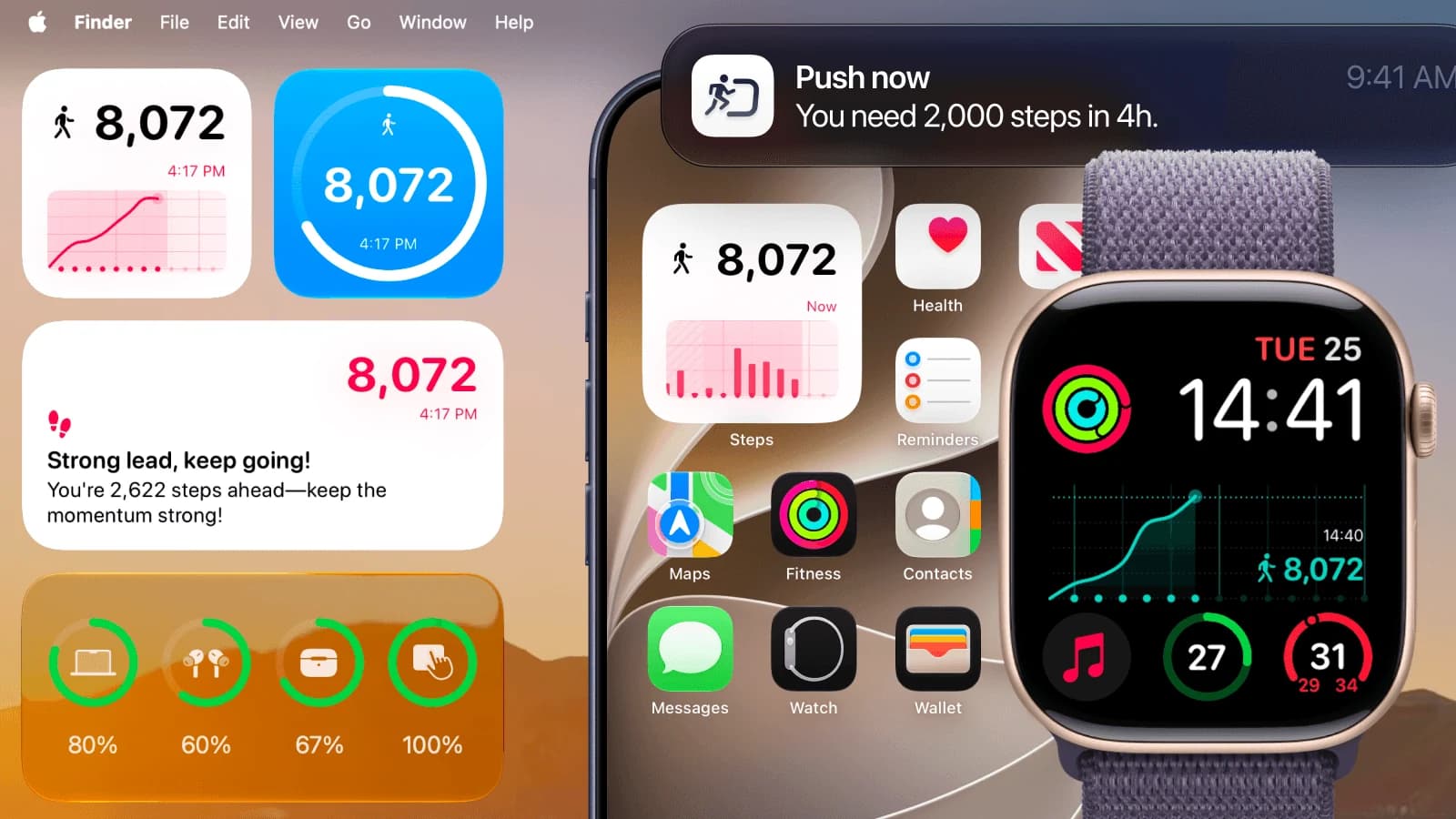
- The glance: Live step counts live on your Home Screen, Lock Screen, StandBy, Apple Watch, and Mac — zero taps required.
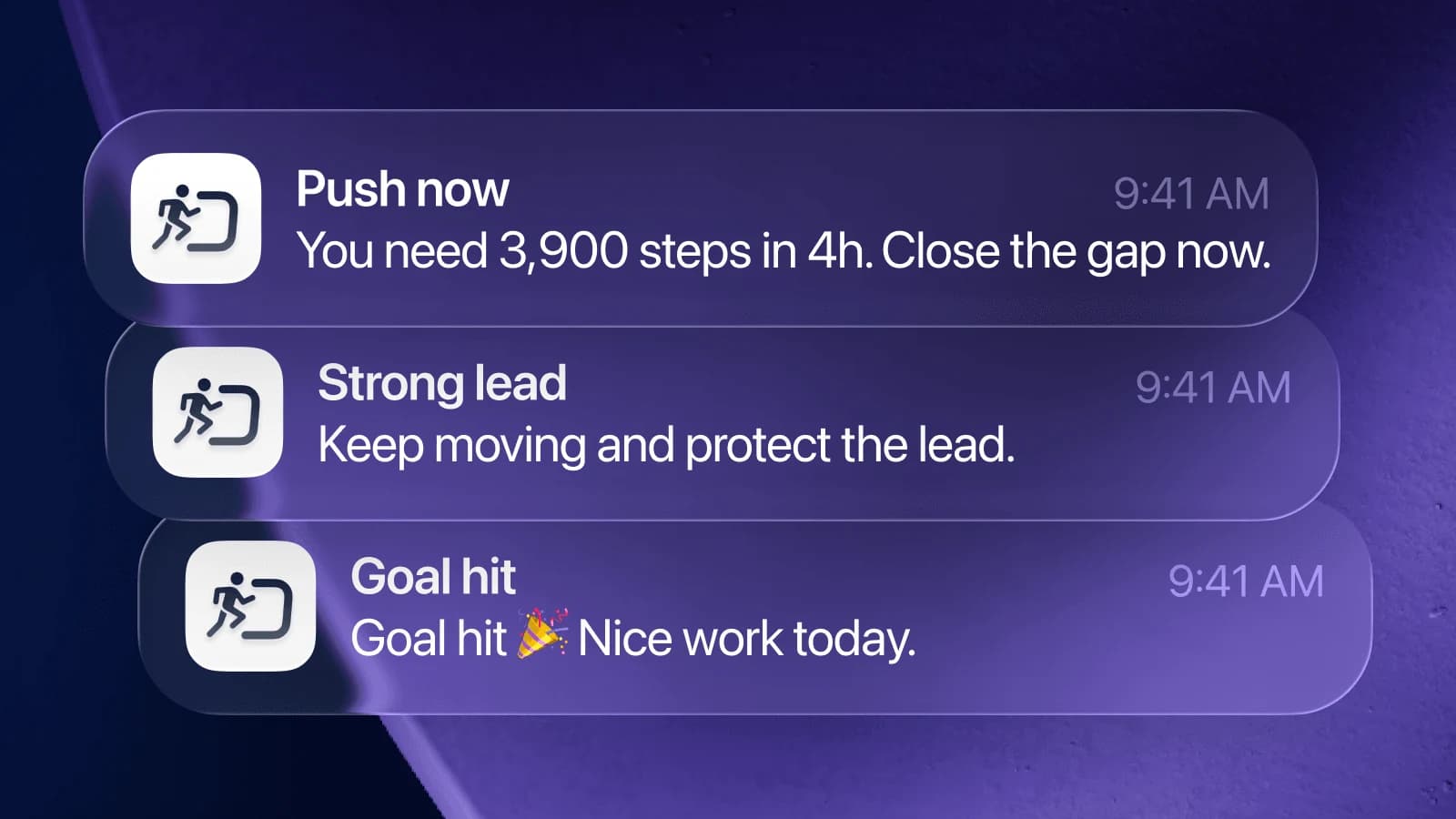
- The nudge: Intelligent on-device pace forecasting only alerts you when your projected day is falling short of your goal.
- Zero friction: No streaks to stress over, no social leaderboards, no user accounts, and no banner ads.
- Privacy first: Reads directly from Apple Health on your device; your personal data never leaves your iPhone.
Why typical fitness apps optimize for screen time instead of movement
Open a typical fitness app and count what is competing for your attention: a feed, a streak counter, badge popups, a leaderboard, a weekly recap, a community challenge you were invited to, and a banner for the premium subscription. Each of those features is engineered to bring you back and keep you staring at the screen. Time in the app becomes the primary metric being optimized, because screen time is what ad-driven and engagement-focused app businesses sell.
But the number you actually care about happens on the other side of the screen. Steps happen when your phone is in your pocket and you are moving outdoors or through your day. An app that pulls you in to check a streak, tap through a recap, and clear a notification badge steals the exact minutes you could have spent walking.
So the question behind every design decision in Steps Widget is the reverse of the industry standard: not how do we get you to open it more, but how little do you need to open it for it to still change your daily habits?
Two jobs, zero session time: The glance and the nudge
Strip a daily pedometer down to what genuinely changes human behavior and there are only two essential jobs left.
1. The glance
You need to know where you stand without going anywhere to find out. That is the job of an iPhone step counter widget, not a destination app. Your count sits seamlessly on your iPhone Lock Screen, Home Screen, StandBy display, Apple Watch face, or Mac desktop — places you already look dozens of times throughout the day. Checking your steps takes a fraction of a second and zero taps. You never have to remember to check, because you were already looking at your screen.
2. The nudge
You need to hear about your pace when the day is slipping away, while there is still time to fix it — and never when you are already on track. A private model running directly on your device projects the step count you are heading for by midnight. A reminder only arrives when that projection falls short of your daily goal. It is capped at one per hour, within the hours of the day when taking a walk is still practical. On a day you are already moving enough, you hear nothing at all.
Neither job requires you to launch the app. On most days, you will never open it.
What a minimalist step counter leaves out on purpose
A short list of features Steps Widget intentionally excludes, and why:
- No streaks. A streak turns one sick day or busy travel day into a reason to feel defeated and quit. Your true history is preserved in Apple Health; an off Tuesday does not reset your fitness journey.
- No social feeds or leaderboards. Comparing your activity with strangers is a recipe for endless scrolling, not healthier movement. There is no social layer to check.
- No accounts or logins. Nothing to sign up for, no passwords to manage, and no database holding your personal location or fitness history. Your steps are read securely from Apple Health, and settings sync seamlessly through your personal iCloud.
- No ads or tracking pixels. An ad-funded app trades your attention for revenue. Steps Widget is designed to give you your attention back.
- No nagging timer alerts. A reminder that fires every hour regardless of whether you just walked a mile is noise. A reminder that speaks up only when your pace is behind schedule has earned your attention.
Why "less app" requires more on-device intelligence
A minimalist interface is not the same as a simplistic app. The engineering effort simply shifts behind the scenes where it does not distract you.
The pace projection is personalized from your first day: on launch, the app analyzes up to a full year of your own Apple Health walking history, learning your natural daily rhythms. When your schedule changes — such as a new commute or shifting workout times — the algorithm adapts automatically without needing manual recalibration. You can read more about the math in how goal reminders work.
The widget styles receive equal care. A widget that clashes with your aesthetic is a widget you eventually remove. Steps Widget supports light, dark, tinted, photo, and custom color accents to blend naturally with your setup. You can explore the possibilities in the widget gallery.
When you do open the app
There are only a few reasons to open Steps Widget, and each one takes under a minute:
- Setting an achievable goal. Insight visualizes your last month of real activity beneath an interactive goal slider, helping you choose a target you can realistically maintain. Learn more about choosing your target in how to set a realistic daily step goal.
- Writing your own reminders. Rewrite every nudge in your own words, or describe a coaching voice and, on supported iOS devices, let Apple Intelligence restyle them on device for you to review. See Reminder messages.
- Choosing a new widget look. Pick a theme or accent color, then return to your Home Screen to enjoy the glance.
A visit that lasts 30 seconds and leaves you alone for the rest of the week is the app succeeding at its purpose.
An honest, distraction-free business model
An app designed to minimize your screen time cannot make money by capturing your attention. The entire smart reminder system — including on-device forecasting and adaptive alerts — is completely free, with no advertising at any tier.
The only optional purchase is a Customization subscription for premium widget themes and color palettes. Even if a subscription ends, any customized widget style already placed on your screen continues to function normally.
This pricing structure aligns incentives: because revenue does not depend on keeping you hooked in the app, the product is free to keep you focused on walking outside.
Frequently asked questions
What does "more steps, less app" mean? It is the core philosophy of Steps Widget: software should minimize screen time and distraction so you can spend more of your day actively moving. This translates to glanceable widgets and predictive nudges that work without opening the app.
Do I need to open the app every day for steps to track? No. Steps Widget reads directly from Apple Health in the background. As long as background refresh is enabled and notifications are allowed, the widgets and reminders update automatically without daily app launches.
Why are there no streaks or badges in the app? Streaks incentivize opening an app rather than building sustainable, lifelong walking habits. A single broken streak often leads people to give up entirely. Your long-term data stays safe in Apple Health without artificial streak pressure.
How does Steps Widget protect my privacy without an account? Steps Widget operates entirely on-device. It does not require an account, email address, or third-party servers. All step data is read directly from Apple Health on your iPhone and syncs across devices exclusively via your private iCloud.
Will fewer features mean I miss important reminders? No. Reminders are powered by proactive on-device pacing. Instead of firing arbitrary timers, the app forecasts whether your current pace will hit your target before bedtime and only notifies you when an afternoon or evening walk is needed.
Is Steps Widget free to use? Yes. Steps Widget is free to download with zero ads. The entire step tracking and smart reminder engine is completely free, with an optional subscription available for extended aesthetic widget customization.
Key takeaways
| Concept | Traditional fitness apps | Steps Widget approach |
|---|---|---|
| Primary goal | Maximize daily active time in app | Maximize daily steps and minimize screen time |
| Information access | Open app, navigate feeds and dashboards | Instant glance on Home Screen, Lock Screen, Watch & Mac |
| Notifications | Fixed hourly chimes or promotional badges | Smart on-device forecasting only when falling behind |
| Account & Privacy | Cloud login, analytics, profile tracking | 100% on-device Apple Health integration, zero account |
| Motivation | Fragile streaks, leaderboards, social pressure | Sustainable pacing and calm daily awareness |
Related reading
- How to set a realistic daily step goal — Find your sustainable baseline using historical data.
- Best step counter widget for iPhone — How to configure glanceable step widgets across your devices.
- You sit longer than you realize — Why mid-afternoon awareness prevents sedentary health risks.
- Sitting too long: Health risks and walking research — The scientific evidence behind regular daytime movement breaks.
- Steps Widget vs Pedometer++ compared — A deep dive into minimalist vs feature-dense step trackers.
Recommended posts
Try Steps Widget
Keep your daily steps visible on iPhone, Lock Screen, Home Screen, and Apple Watch with a private Apple Health step counter widget.